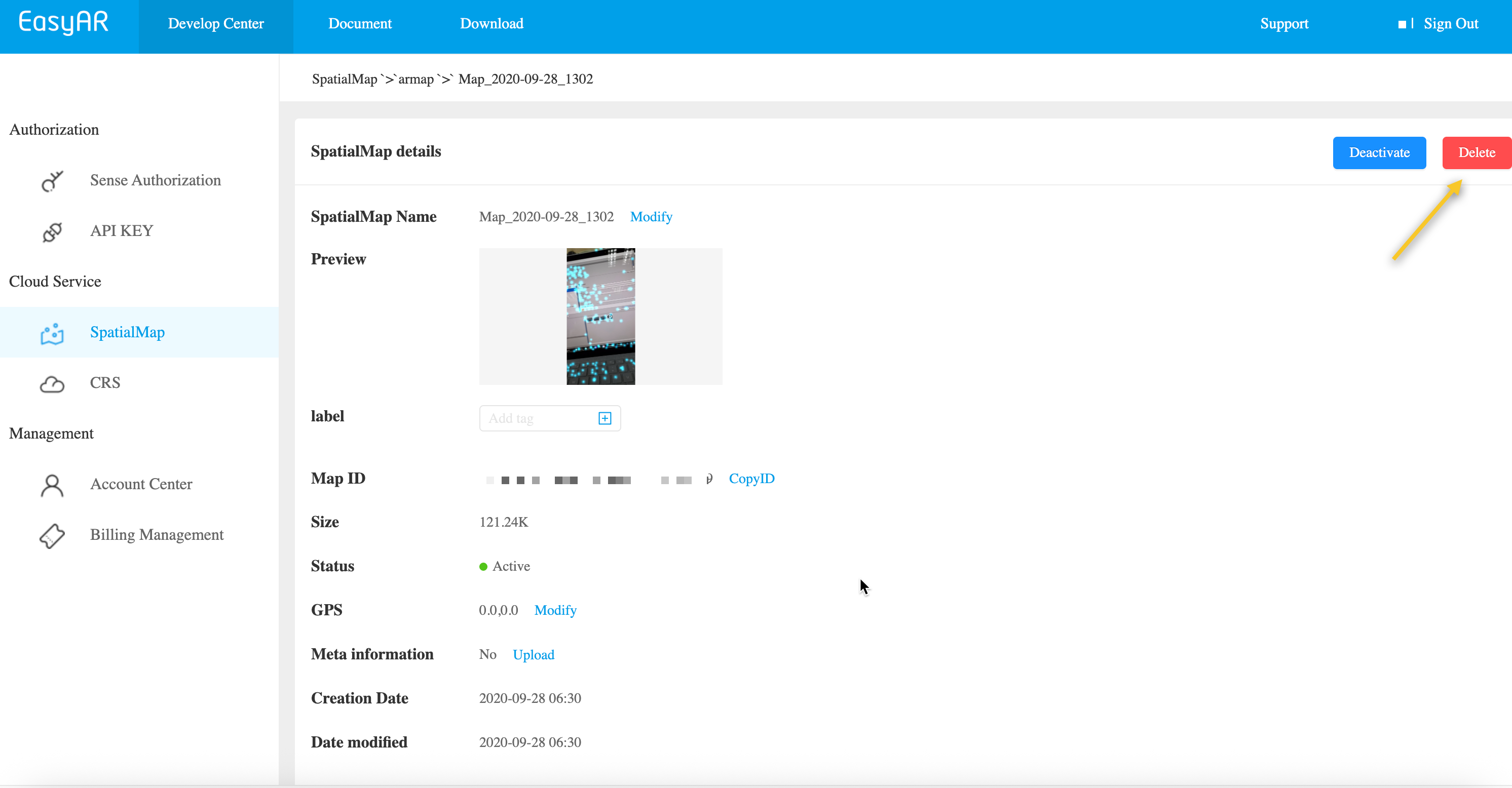
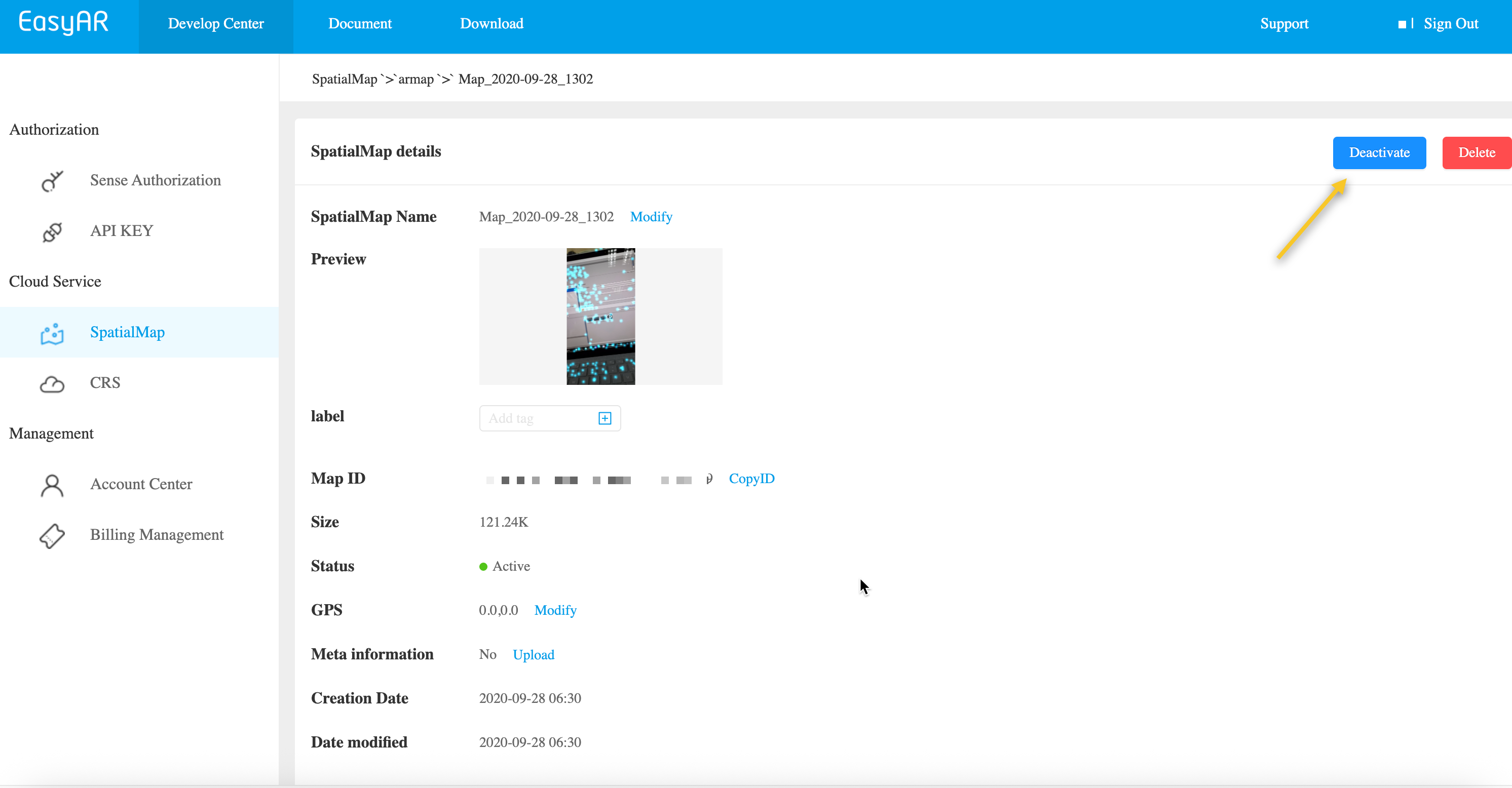
EasyAR bietet zwei Möglichkeiten, räumliche Kartendaten zu behandeln, die nicht mehr benötigt werden: dauerhaftes Löschen und vorübergehendes Deaktivieren. Um die Stabilität in Produktionsumgebungen sicherzustellen, empfehlen wir, die folgenden Anweisungen sorgfältig zu lesen.
Sparse Spatial Maps können über die REST API automatisch bereinigt werden.
Ersetzen Sie die Platzhalter durch die tatsächlichen Parameter und führen Sie das curl-Skript aus
- Your-Cloud-URL → tatsächliche API URLs
- Your-Token → tatsächlicher API Key Authorization Token
- Your-SpatialMap-AppId → Ihre appId
- Your-todo-MapId → zu löschende MapId
curl -X DELETE "https://armap-api-<cn1|na1>.easyar.com/map/<Your-todo-MapId>?appId=<Your-SpatialMap-AppId>" \
  -H "Content-Type: application/json" \
  -H "Authorization: <Your-Token>"
Java sample-Code herunterladen
Projekt über Maven importieren
Step 1. Code sample RemoveMap.java öffnen
Step 2. Globale Variablen ändern und durch die Authentifizierungsparameter aus Ihrer vorbereiteten checklist ersetzen
- SpatialMap AppId
- API Key / API Secret
- Cloud URL
RemoveMap.java
import okhttp3.*;
import org.json.JSONObject;
import java.io.IOException;
import java.util.Set;

public class RemoveMap {

    private static final String CLOUD_URL       = "https://armap-api-<cn1|na1>.easyar.com";
    private static final String SPATIALMAP_APPID= "--here is your SpatialMap AppId--";
    private static final String API_KEY         = "--here is your API Key--";
    private static final String API_SECRET      = "--here is your API Secret--";
    private static final String MAPID           = "my_mapId";

    public String remove(Auth auth, String mapId) throws IOException {
        okhttp3.Request request = new okhttp3.Request.Builder()
                .url(auth.getCloudURL()+"/map/"+mapId+"?"+ Auth.toParam(
                        Auth.signParam(new JSONObject(), auth.getAppId(), auth.getApiKey(), auth.getApiSecret())
                ))
                .delete()
                .build();
        return new OkHttpClient.Builder().build().newCall(request).execute().body().string();
    }

    public static void main(String[] args) throws IOException{
        Auth accessInfo  =  new Auth(SPATIALMAP_APPID, API_KEY, API_SECRET, CLOUD_URL);
        System.out.println(new RemoveMap().remove(accessInfo, MAPID));
    }
}
Step 3. Main ausführen
Schritt 1. Kopieren Sie den Beispielcode nach removemap.php
- Ändern Sie die Authentifizierungsparameter auf Ihre tatsächlichen Ressourcen: Token, appId und Cloud URL
- Die MapId der zu löschenden Karte
<?php
class MapDeleteService {
    private $baseURL;
    private $token;
    private $appId;

    public function __construct($baseURL, $token, $appId) {
        $this->baseURL = $baseURL;
        $this->token = $token;
        $this->appId = $appId;
    }

    public function deleteMap($mapId) {
        // 构建查询参数
        $queryParams = [
            'appId' => $this->appId
        ];

        $queryString = http_build_query($queryParams);
        $url = $this->baseURL . '/map/' . urlencode($mapId) . '?' . $queryString;

        $ch = curl_init();
        curl_setopt_array($ch, [
            CURLOPT_URL => $url,
            CURLOPT_CUSTOMREQUEST => 'DELETE',
            CURLOPT_RETURNTRANSFER => true,
            CURLOPT_HTTPHEADER => [
                'Authorization: ' . $this->token,
                'Content-Type: application/json'
            ],
            CURLOPT_SSL_VERIFYPEER => false,
            CURLOPT_TIMEOUT => 30
        ]);

        echo "=== API Request ===" . PHP_EOL;
        echo "URL: " . $url . PHP_EOL;
        echo "Method: DELETE" . PHP_EOL;
        echo "Headers: Authorization: " . $this->token . PHP_EOL;
        echo "Query Params: " . json_encode($queryParams, JSON_PRETTY_PRINT) . PHP_EOL;

        $response = curl_exec($ch);
        $httpCode = curl_getinfo($ch, CURLINFO_HTTP_CODE);
        $error = curl_error($ch);

        curl_close($ch);

        echo "=== API Response ===" . PHP_EOL;
        echo "Status Code: " . $httpCode . PHP_EOL;
        echo "Timestamp: " . date('c') . PHP_EOL;

        if ($error) {
            echo "cURL Error: " . $error . PHP_EOL;
            return null;
        }

        $responseData = json_decode($response, true);
        echo "Response Data: " . json_encode($responseData, JSON_PRETTY_PRINT) . PHP_EOL;

        return $responseData;
    }
}


$mapId = 'your_map_id_here';
$config = [
    'baseURL' => 'https://armap-api-cn1.easyar.com',
    'token' => 'your_token_here',
    'appId' => 'your_app_id_here'
];

$mapDeleteService = new MapDeleteService($config['baseURL'], $config['token'], $config['appId']);

$result = $mapDeleteService->deleteMap($mapId);

if ($result) {
    echo PHP_EOL . "=== 删除请求成功 ===" . PHP_EOL;
    if (isset($result['statusCode']) && $result['statusCode'] == 200) {
        echo "Result: " . json_encode($result['result'], JSON_PRETTY_PRINT) . PHP_EOL;
    }
} else {
    echo PHP_EOL . "=== Failed ===" . PHP_EOL;
}
?>
Schritt 2. Ausführen
php removemap.php
Erstellen Sie die zugehörige Codedatei main.go, ändern Sie die globalen Variablen und führen Sie dann aus
go run main.go
main.go:
package main
import (
"crypto/sha256"
"fmt"
"io"
"net/http"
"sort"
"strconv"
"time"
)
var (
ApiKey = "YOUR_API_KEY"
ApiSecret = "YOUR_API_SECRET"
AppId = "YOUR_APP_ID"
Host = "https://armap-api-<cn1|na1>.easyar.com"
MapId = "YOUR_MAP_ID"
)
func main() {
ts := strconv.FormatInt(time.Now().UnixNano()/1e6, 10)
params := map[string]string{
"apiKey": ApiKey,
"appId": AppId,
"timestamp": ts,
}
keys := []string{"apiKey", "appId", "timestamp"}
sort.Strings(keys)
builder := ""
for _, k := range keys { builder += k + params[k] }
builder += ApiSecret
signature := fmt.Sprintf("%x", sha256.Sum256([]byte(builder)))
url := fmt.Sprintf("%s/map/%s?apiKey=%s&appId=%s×tamp=%s&signature=%s",
Host, MapId, ApiKey, AppId, ts, signature)
req, _ := http.NewRequest("DELETE", url, nil)
resp, _ := http.DefaultClient.Do(req)
defer resp.Body.Close()
body, _ := io.ReadAll(resp.Body)
fmt.Printf("Response: %s\n", string(body))
}
Fügen Sie die Abhängigkeiten reqwest, tokio, sha2 und hex zu Cargo.toml hinzu.
Führen Sie cargo run aus.
use sha2::{Sha256, Digest};
use std::collections::BTreeMap;
use std::time::{SystemTime, UNIX_EPOCH};
const API_KEY: &str = "YOUR_API_KEY";
const API_SECRET: &str = "YOUR_API_SECRET";
const APP_ID: &str = "YOUR_APP_ID";
const HOST: &str = "https://armap-api-<cn1|na1>.easyar.com";
const MAP_ID: &str = "YOUR_MAP_ID";
#[tokio::main]
async fn main() -> Result<(), Box<dyn std::error::Error>> {
let ts = SystemTime::now().duration_since(UNIX_EPOCH)?.as_millis().to_string();
// 1. Signature components
let mut params = BTreeMap::new();
params.insert("apiKey", API_KEY);
params.insert("appId", APP_ID);
params.insert("timestamp", &ts);
// 2. Concatenate keys and values, then append secret
let mut sign_str = String::new();
for (k, v) in ¶ms {
sign_str.push_str(k);
sign_str.push_str(v);
}
sign_str.push_str(API_SECRET);
let mut hasher = Sha256::new();
hasher.update(sign_str.as_bytes());
let signature = hex::encode(hasher.finalize());
// 3. Construct URL and send DELETE
let url = format!("{}/map/{}?apiKey={}&appId={}×tamp={}&signature={}",
HOST, MAP_ID, API_KEY, APP_ID, ts, signature);
let res = reqwest::Client::new().delete(url).send().await?;
println!("Response: {}", res.text().await?);
Ok(())
}
Erstellen Sie ein .NET-Konsolenprojekt.
dotnet new console
dotnet run
using System;
using System.Collections.Generic;
using System.Linq;
using System.Security.Cryptography;
using System.Text;
using System.Net.Http;

class Program {
    static string API_KEY = "YOUR_API_KEY";
    static string API_SECRET = "YOUR_API_SECRET";
    static string APP_ID = "YOUR_APP_ID";
    static string HOST = "https://armap-api-<cn1|na1>.easyar.com";
    static string MAP_ID = "YOUR_MAP_ID";

    static async System.Threading.Tasks.Task Main() {
        string timestamp = DateTimeOffset.Now.ToUnixTimeMilliseconds().ToString();

        // 1. Sort parameters
        var dict = new SortedDictionary<string, string> {
            { "apiKey", API_KEY },
            { "appId", APP_ID },
            { "timestamp", timestamp }
        };

        // 2. Concatenate and append Secret
        StringBuilder sb = new StringBuilder();
        foreach (var kv in dict) sb.Append(kv.Key).Append(kv.Value);
        sb.Append(API_SECRET);

        string signature = Sha256(sb.ToString());

        // 3. Execute DELETE request
        using var client = new HttpClient();
        string query = string.Join("&", dict.Select(x => $"{x.Key}={x.Value}")) + $"&signature={signature}";
        string url = $"{HOST}/map/{MAP_ID}?{query}";

        var response = await client.DeleteAsync(url);
        Console.WriteLine($"Result: {await response.Content.ReadAsStringAsync()}");
    }

    static string Sha256(string str) {
        byte[] bytes = SHA256.HashData(Encoding.UTF8.GetBytes(str));
        return BitConverter.ToString(bytes).Replace("-", "").ToLower();
    }
}
- Laufzeitumgebung
- Unity 2020 LTS oder höher
- Scripting Backend: Mono oder IL2CPP sind beide möglich
- API Compatibility Level: .NET Standard 2.1 (empfohlen)
Step 1: Bilddatei vorbereiten
- Erstellen Sie im Unity-Projekt ein Verzeichnis:
Assets/
└── Scripts/
     └── DeleteMap.cs
using System.Collections;
using UnityEngine;
using UnityEngine.Networking;

public class DeleteMap : MonoBehaviour
{
    [Header("Config")]
    public string mapId = "Your mapId";
    public string apiBaseUrl = "https://armap-api-<cn1|na1>.easyar.com";
    public string authorizationToken = "YOUR API KEY AUTH TOKEN";
    public string spatialMapAppId = "Your Spatial Map appId";

    private void Start()
    {
        StartCoroutine(DeleteAMap());
    }

    private IEnumerator DeleteAMap()
    {

        string url =
            $"{apiBaseUrl}/map/{mapId}?appId={spatialMapAppId}";

        UnityWebRequest request = UnityWebRequest.Delete(url);
        request.downloadHandler = new DownloadHandlerBuffer();

        request.SetRequestHeader("Content-Type", "application/json");
        request.SetRequestHeader("Authorization", authorizationToken);

        yield return request.SendWebRequest();

        if (request.result == UnityWebRequest.Result.Success)
        {
            Debug.Log("Delete map success:");
            Debug.Log(request.downloadHandler.text);
        }
        else
        {
            Debug.LogError("Delete map failed:");
            Debug.LogError(request.error);
            Debug.LogError(request.downloadHandler.text);
        }
    }
}
Step 3: Parameter konfigurieren (Inspector)
Ändern Sie im Inspector-Bedienfeld:
- Api Url
- Authorization Token
- Spatial Map App Id
- Map Id: mapId der zu löschenden Karte
Um es auszuführen, müssen nur diese Elemente geändert und die in der Vorbereitungsliste vorbereiteten Parameter eingetragen werden
Step 4: Ausführen
- Klicken Sie auf Play
- Prüfen Sie das Ergebnis in Console:
- Erfolg: gibt JSON zurück (einschließlich result)
- Fehler: HTTP / Fehlerinformationen