EasyAR 개발 소개
EasyAR는 AR 개발을 간단하고 효율적으로 만듭니다. EasyAR를 사용하면 다양한 플랫폼의 애플리케이션에 augmented reality 기능을 쉽게 통합할 수 있습니다.
EasyAR 제품 개요
EasyAR는 AR 개발을 위해 세 가지 주요 제품을 제공합니다: EasyAR Mega, EasyAR CRS(Cloud Recognition Service), EasyAR Sense.
EasyAR Mega는 대규모 scene을 위한 공간 인식 및 위치 추적 서비스로, 대규모 공간과 복잡한 객체에 대한 AR 기능을 제공합니다.EasyAR CRS는 고성능 cloud image recognition 서비스로, 기존 image recognition AR 기능을 제공합니다.EasyAR Sense는 플랫폼 간 AR 통합 기능을 제공하는 augmented reality SDK입니다.
다음 그림은 제품 구조를 세분화한 것입니다.
block
  columns 1
  block:groupTitle
    Title["EasyAR 제품 구조도"]
  end
  block:groupTool
    Tool["워크플로 도구"]
    MegaToolbox["Mega Toolbox"]
    MegaStudio["Mega Studio"]
    space
  end
  block:groupSDK
    SDK["SDK"]
    Sense["Sense"]
    SenseUnity["Sense<br>Unity Plugin"]
    MegaWeChat["Mega<br>WeChat MiniProgram Plugin"]
  end
  block:groupService
    Service["클라우드 서비스"]
    Mega["Mega<br>Service"]
    SpatialMap["SpatialMap<br>Service"]
    CRS["Cloud Recognition<br>Service"]
  end

  style groupTitle fill:none,stroke:none,stroke-width:0px
  style Title fill:none,stroke:none,stroke-width:0px
  style Tool fill:none,stroke:none,stroke-width:0px
  style SDK fill:none,stroke:none,stroke-width:0px
  style Service fill:none,stroke:none,stroke-width:0px
- Cloud services는 대규모 recognition 및 localization 능력을 제공합니다
- Mega Service:
EasyAR Mega의 핵심 구성 요소. - SpatialMap Service:
EasyAR Sense의 sparse spatial map에 cloud 지원을 제공하는 서비스. - Cloud Recognition Service:
EasyAR CRS의 핵심 구성 요소.
- Mega Service:
- SDK는 풍부한 로컬 기능을 제공하고 cloud services를 활용해 더 강력한 능력을 제공합니다
- Sense:
EasyAR Sense의 핵심 SDK. - Sense Unity Plugin:
EasyAR Sense의 Unity plugin. - Mega WeChat MiniProgram Plugin:
EasyAR Mega의 WeChat Mini Program plugin.
- Sense:
- Workflow tools는 시각적 관리 및 테스트 도구를 제공합니다
- Mega Toolbox:
EasyAR Mega의 시각적 collection 및 testing 도구. - Mega Studio:
EasyAR Mega의 시각적 editing 및 management 도구.
- Mega Toolbox:
AR 애플리케이션을 개발할 때, 다양한 시나리오의 기능 요구를 충족하기 위해 하나 이상의 product modules를 동시에 사용할 수 있습니다.
예:
- 색칠 놀이 애플리케이션을 개발할 때 Sense Unity Plugin을 사용해 Unity에서 cross-platform 애플리케이션을 개발하고, image를 tracking하며 3D models를 rendering할 수 있습니다.
- Live Photo 애플리케이션을 개발할 때 Sense를 사용해 Android 및 iOS native 애플리케이션에서 사진을 인식하고 tracking하며 비디오를 재생할 수 있습니다. 또는 Cloud Recognition Service를 사용해 대량 사진의 cloud recognition service를 제공하고, WeChat Mini Program에서 해당 service interface를 직접 호출해 photo recognition 기능을 구현할 수 있습니다.
- AR navigation 애플리케이션을 개발할 때 Mega Service를 사용해 large-scene localization을 구현할 수 있습니다. Unity에서 Sense Unity Plugin을 사용해 EasyAR Mega interface와 EasyAR Sense의 motion tracking 기능을 호출하여 AR navigation 능력을 구현할 수 있습니다. 또한 Mega Toolbox를 사용해 localization 및 tracking 효과를 빠르게 검증할 수 있습니다.
EasyAR Mega는 다음 AR 능력을 제공하며, mobile application, WeChat Mini Program 등 다양한 플랫폼의 AR 애플리케이션 구축에 사용할 수 있습니다.
- Mega fixed space: AR navigation, cultural tourism guides, landmark shows, large-space games 등 large-space 시나리오에 적합합니다.
- Mega complex object: AR cultural relic explanations, factory training, AR collectible effects, auto show marketing 등 complex objects에 적합합니다.
EasyAR CRS는 다음 AR 능력을 제공하며, mobile application, WeChat Mini Program, Web application 등 다양한 플랫폼의 AR 애플리케이션 구축에 사용할 수 있습니다.
- Image cloud recognition: AR picture books, cultural and creative products, TCG cards, Live Photos 등 large-scale image recognition 시나리오에 적합합니다.
EasyAR Sense는 다음 AR 능력을 제공하며, mobile phones, XR headsets, PC 등 다양한 플랫폼의 AR 애플리케이션 구축에 사용할 수 있습니다.
- Motion tracking: AR spatial brushes, remote collaboration 등의 시나리오에 적합합니다.
- Plane detection: AR product display, virtual decoration 등의 시나리오에 적합합니다.
- Sparse spatial map (room-level anchors): small-space interaction 및 games 등의 시나리오에 적합합니다.
- Dense spatial map (meshing): environmental interaction games 등의 시나리오에 적합합니다.
- Surface tracking (scaleless anchoring): AR spatial effects 등의 시나리오에 적합합니다.
- Image tracking: AR cards, coloring, brand marketing 등의 시나리오에 적합합니다.
- Object tracking: AR globes 등의 시나리오에 적합합니다.
또한 EasyAR Sense는 다음 cloud 또는 advanced 능력을 통합하고 사용할 수 있습니다.
- Mega fixed space
- Mega complex object
- Image cloud recognition
다양한 플랫폼에서 AR 애플리케이션 개발
EasyAR를 사용하면 다양한 플랫폼에서 AR 애플리케이션을 개발할 수 있습니다.
Unity (recommended)
Unity로 AR 애플리케이션을 개발하는 것은 권장되는 방식입니다. Unity를 사용하면 플랫폼 간 3D 콘텐츠와 상호작용을 효율적으로 개발할 수 있습니다.
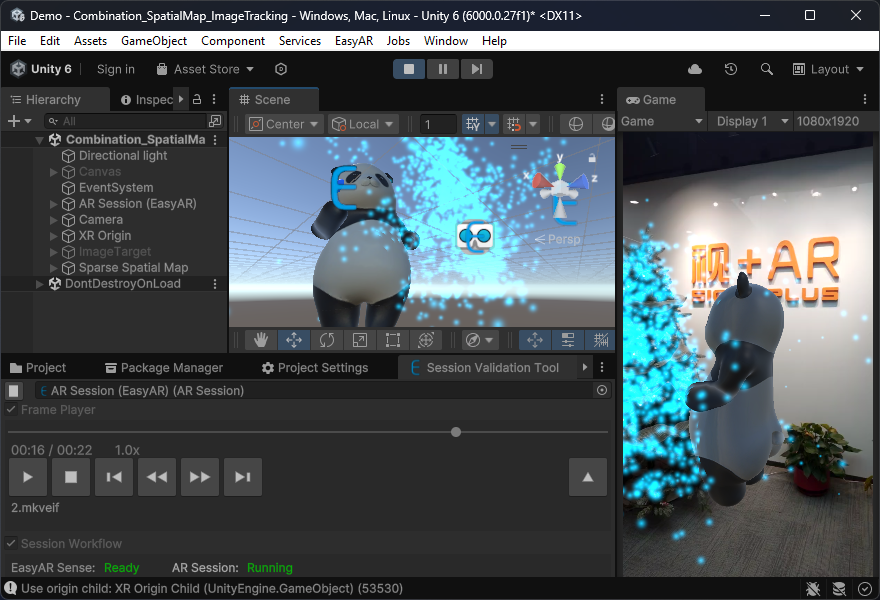
Unity로 개발한 AR 애플리케이션은 다음 기능을 사용할 수 있습니다:
EasyAR Mega의 모든 기능EasyAR CRS의 모든 기능EasyAR Sense의 모든 기능
Unity로 개발한 AR 애플리케이션은 다음 장치와 플랫폼에 배포할 수 있습니다:
- Android 휴대폰과 태블릿
- iOS 휴대폰과 태블릿
- 다양한 XR headset
- Windows 컴퓨터
- macOS 컴퓨터
WeChat Mini Program
WeChat Mini Program 플랫폼에서는 Mega WeChat MiniProgram Plugin 또는 Cloud Recognition Service API를 사용해 WeChat AR 애플리케이션을 개발할 수 있습니다. Mini Program에서는 XR-Frame을 사용해 3D 렌더링과 상호작용을 개발할 수 있습니다. 또한 PlayCanvas 또는 Three.js 같은 다른 Web 3D engine도 사용할 수 있지만, 더 복잡한 추가 적응 작업이 필요합니다.
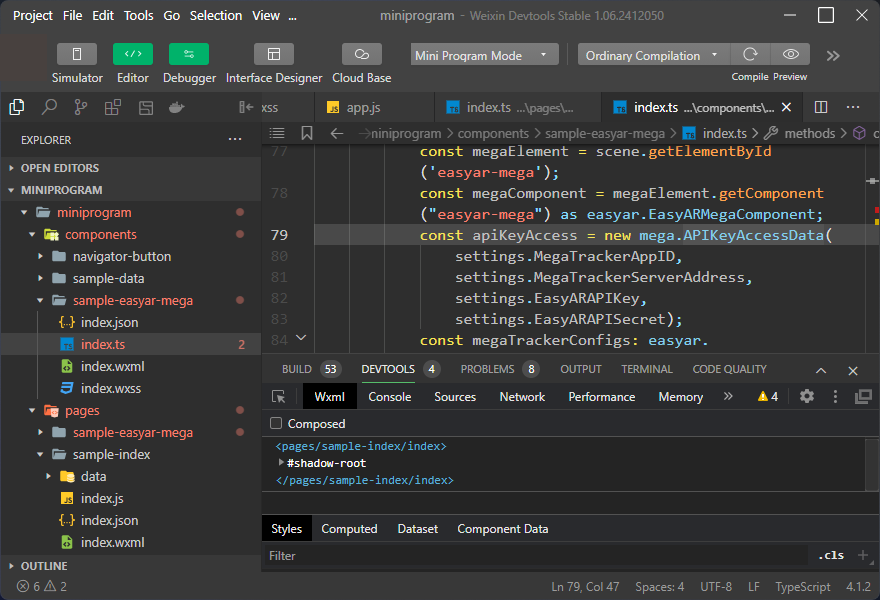
WeChat Mini Program 플랫폼의 AR 애플리케이션은 다음 기능을 사용할 수 있습니다:
EasyAR Mega의 모든 기능(XR-Frame만)EasyAR CRS의 모든 기능- Motion tracking1
- Plane detection1
- Image tracking1 (
EasyAR Mega와 함께 사용할 수 없음) - Object tracking1 (
EasyAR Mega와 함께 사용할 수 없음)
WeChat에서는 AR navigation과 AR culture and tourism을 위한 성숙한 솔루션도 제공합니다. 필요하면 EasyAR business support에 문의하십시오.
네이티브 애플리케이션
네이티브 API를 직접 사용해 AR 애플리케이션을 개발하는 것도 가능하지만 권장되지는 않습니다. 주된 이유는 보통 AR에 필요한 3D 콘텐츠와 상호작용을 3D engine 없이 구현하기가 복잡하고, 콘텐츠 제작 효율도 낮기 때문입니다. 일반적으로는 단순한 기하 도형 그리기나 비디오 재생 같은 간단한 콘텐츠에만 권장됩니다.
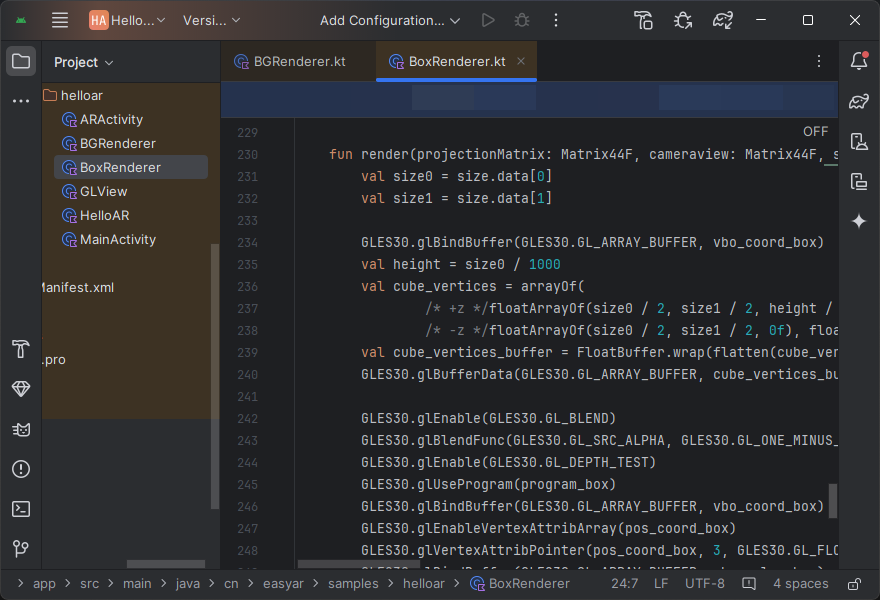
네이티브 API로 개발한 AR 애플리케이션은 다음 기능을 사용할 수 있습니다:
EasyAR Mega의 모든 기능EasyAR CRS의 모든 기능EasyAR Sense의 모든 기능
네이티브 API로 개발한 AR 애플리케이션은 다음 장치와 플랫폼에 배포할 수 있습니다:
- Android 휴대폰과 태블릿
- iOS 휴대폰과 태블릿
- 다양한 XR headset2
- Windows 컴퓨터
- macOS 컴퓨터
자체 AR 플랫폼 구축
3D engine을 직접 개발했거나, 아직 EasyAR가 지원하지 않는 3D engine에서 EasyAR를 사용하고 싶다면, EasyAR Sense의 네이티브 SDK를 사용해 EasyAR 기능을 해당 3D engine에 통합할 수 있습니다. 이 과정은 보통 강한 C/C++ 개발 경험과 3D engine 구현에 대한 충분한 이해와 제어력을 필요로 합니다. 일반적으로는 애플리케이션에 Unity를 도입하고 싶지 않은 기업에 권장합니다.
이 방식으로 구축한 AR 플랫폼이나 애플리케이션은 다음 기능을 사용할 수 있습니다:
EasyAR Mega의 모든 기능EasyAR CRS의 모든 기능EasyAR Sense의 모든 기능
이 방식으로 구축한 AR 플랫폼이나 애플리케이션은 다음 장치와 플랫폼에 배포할 수 있습니다:
- Android 휴대폰과 태블릿
- iOS 휴대폰과 태블릿
- 다양한 XR headset2
- Windows 컴퓨터
- macOS 컴퓨터
Unreal
EasyAR의 Unreal 지원은 아직 실험 단계입니다. 필요하다면 EasyAR business support에 문의해 맞춤형 개발을 논의할 수 있습니다.
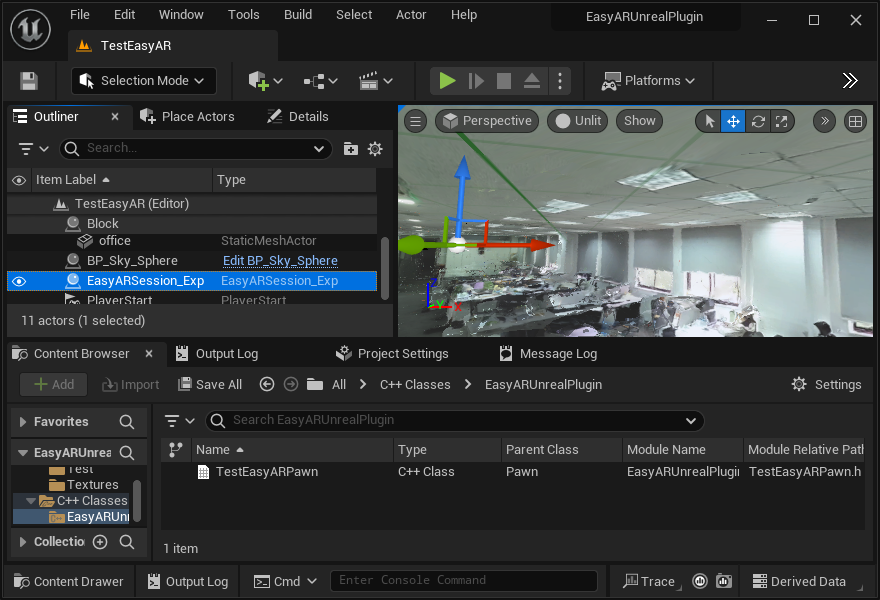
동시에, 여러분이나 팀이 C/C++ 개발 경험이 좋고, 특히 Unreal Engine의 rendering pipeline과 plugin 개발에 대한 이해가 있다면, EasyAR Sense의 네이티브 SDK를 사용해 Unreal Engine에 EasyAR 기능을 통합하는 것도 고려할 수 있습니다.